

Overview
Public pages are pre-built content pages available to all Proposal.biz users. They are ready to use out of the box no setup required. Whether you need a pricing table, a testimonials block, or a team introduction page, you can find it here and insert it into any document instantly.
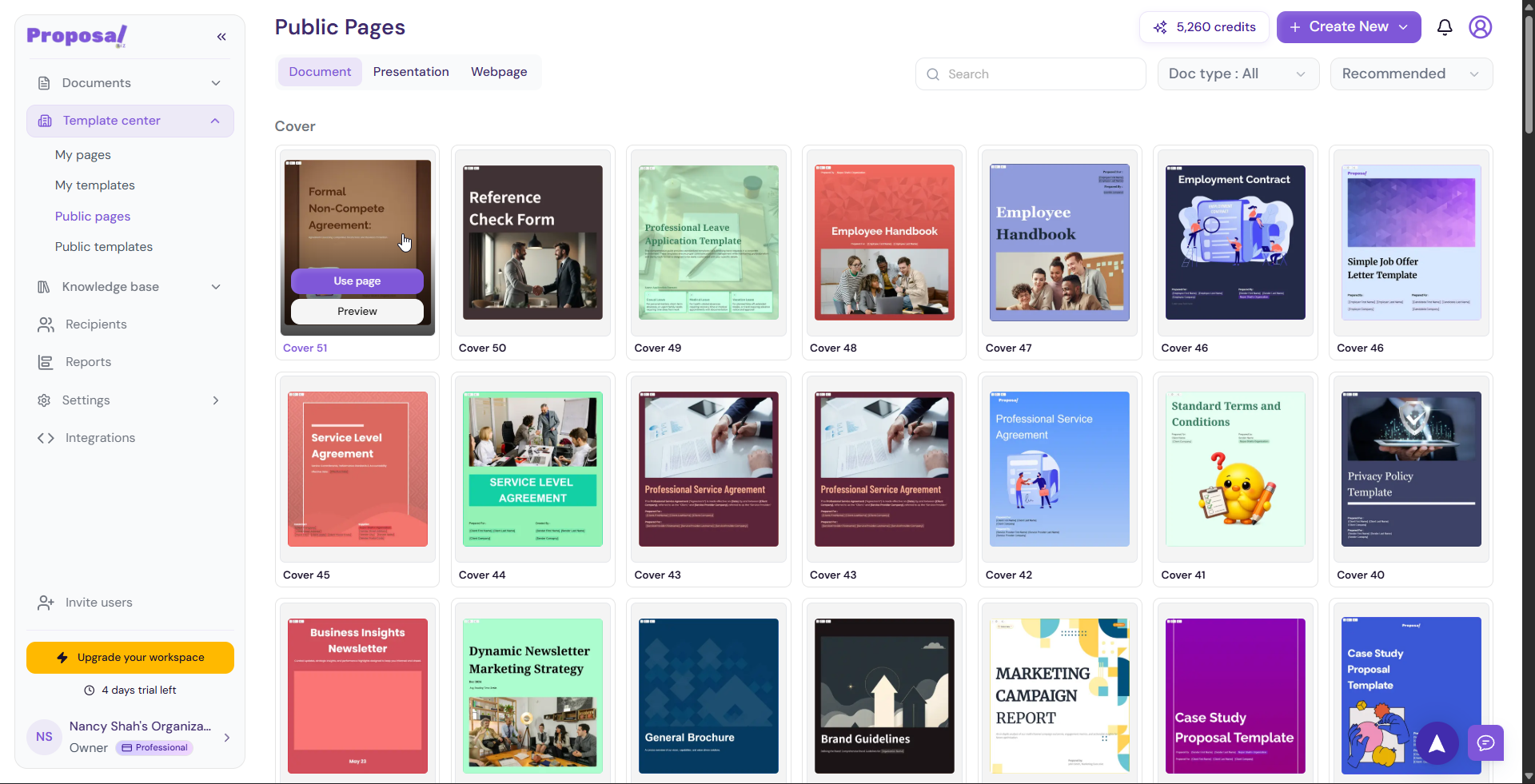
Accessing Public Pages
You can access Public Pages in two ways:
From the Template Center:
Go to Template Center in the left sidebar
Click Public Pages
Browse the available pages
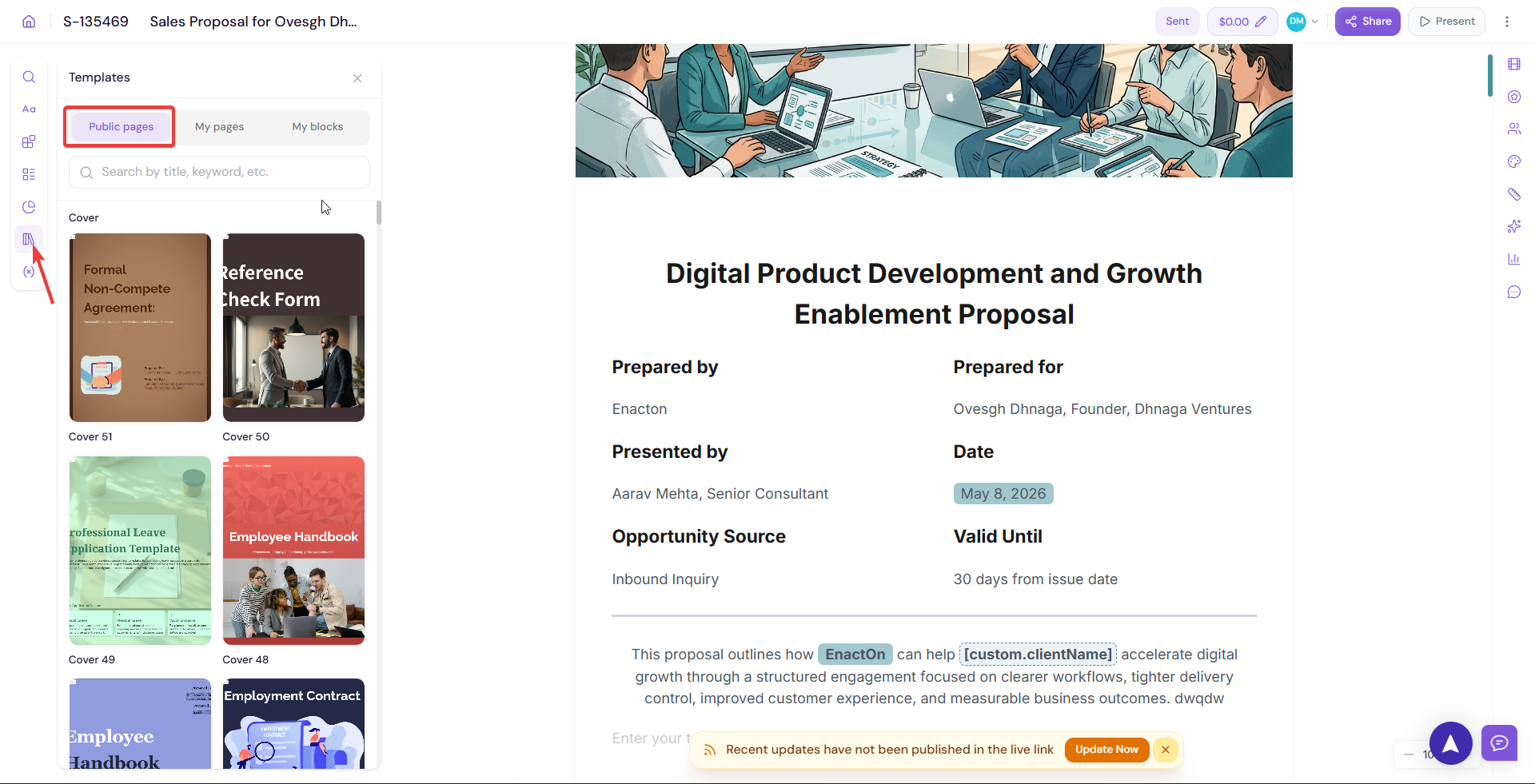
From inside the Editor:
Open any document in the editor
Go to the Left Panel
Navigate to the Public Pages tab
-
Browse and insert directly into your document
Using a Public Page
Browse or search for the page you need
-
Hover over a page to reveal two options:
Use — Insert the page directly into your document
Preview — Review the page in full before adding it
Click Use to insert it into your document
Edit the content to fit your specific needs
💡 Pro Tip Use Public Pages as a starting point when building a document from scratch. Dropping in a few pre-built pages saves significant time and gives your document a clean, professional structure right away.
Next Steps Explore pre-built full document templates available to all users in Public Templates.