

Overview
Already have an existing document? You can import it directly into Proposal.biz and let AI personalize it for you. Once uploaded, you can structure it as a Document, Presentation, or Webpage and customize how the content is extracted and presented.
Getting Started
From your dashboard click + Create New
Select Import document from the dropdown
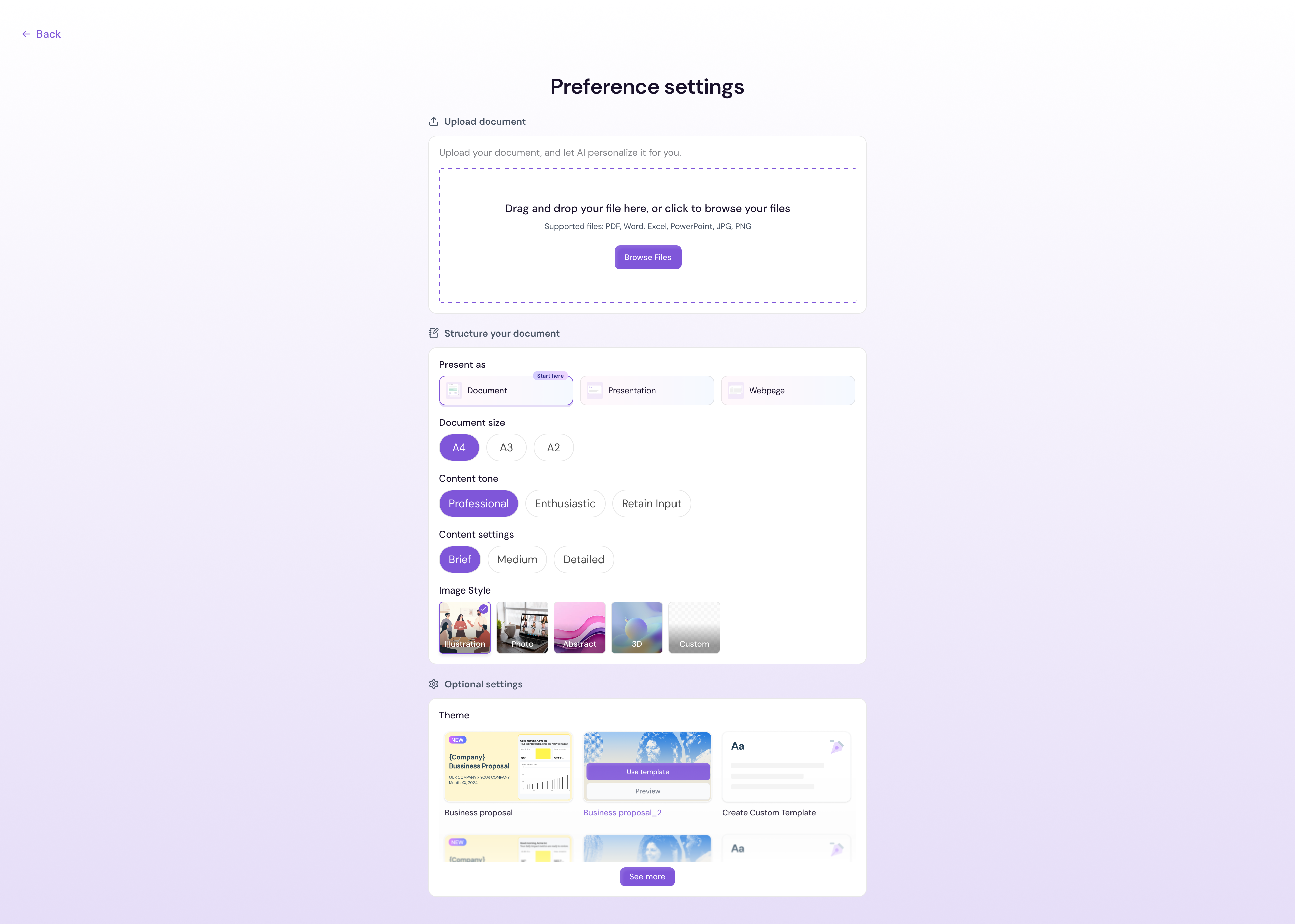
The upload screen will open
Uploading Your Document
You can upload your file in two ways:
Drag and drop your file directly into the upload area
Click Browse Files to locate and select your file from your device
Supported file formats: PDF, Word, Excel, PowerPoint, OpenDocument, CSV, TXT, HTML, XML
Maximum file size: 15MB
Note If your file exceeds 15MB you will see the error "File size must be under 15MB." Reduce your file size and try again.
Importing from Google Drive
If your document is stored in Google Drive, you can connect your account directly from the upload screen.
Click Connect Google Drive at the bottom of the upload area
Authorise the connection
Select the file you want to import from your Drive
Structuring Your Document
Once your file is uploaded, Proposal.biz will show you a set of options to structure your document before it is processed.
Present as
Choose how you want your imported document to be presented:
Document — Standard page-by-page document format
Presentation — Slide-based presentation format
Webpage — A web-friendly single-page format
Document Size
Select the page size for your document
Content Extraction
Choose how you want AI to handle the content from your uploaded file:
Retention — Keeps the original content as close to the source as possible
Summarize — Condenses the content into a shorter, cleaner version
Extrapolate — Expands on the content to make it more detailed and comprehensive
Image Style
Choose the visual style for images in your document:
Illustration
Photorealistic
3D
Abstract
Custom
Optional Settings — Theme
Under Optional settings you can select a theme for your document:
Org Theme (your brand theme extracted during onboarding)
Lavender Biz
Majestic Violet
Black & White
💡 Pro Tip Select Org Theme to automatically apply your brand colours, fonts, and style to the imported document — keeping everything consistent with your other Proposal.biz documents.
Next Steps Once your document opens in the editor, you can refine it manually or use the AI assistant to make further improvements.